
War Dragons
Pocket GemsStrategy
3.823.85K Reviews
- Version
- 9.70+gn
- Installs
- 10.00M
- Age Rating
- Everyone
Screenshots
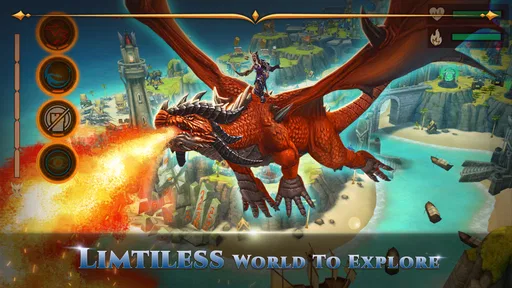
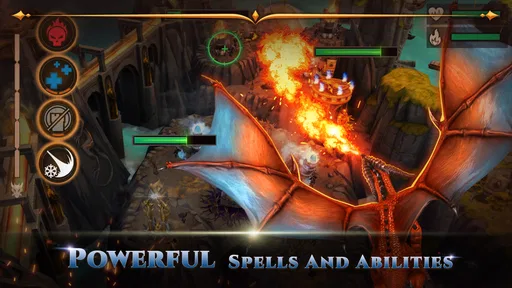
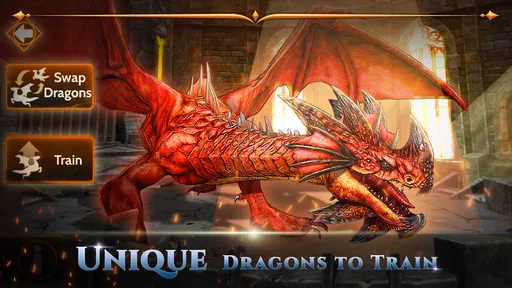
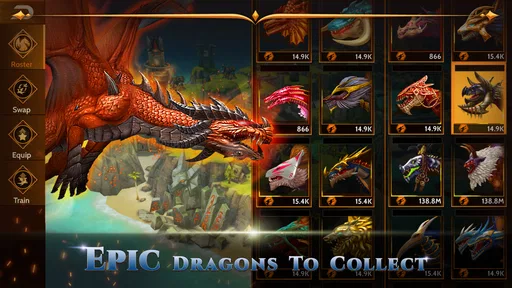
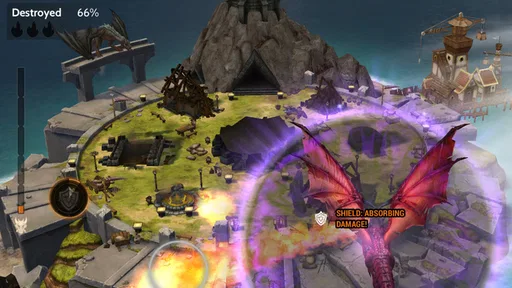
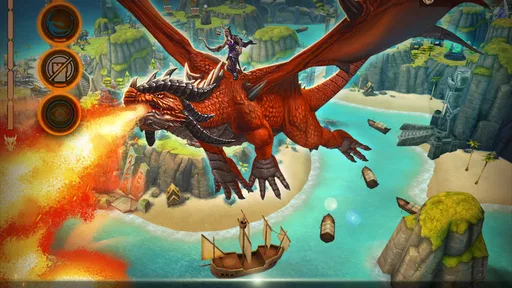
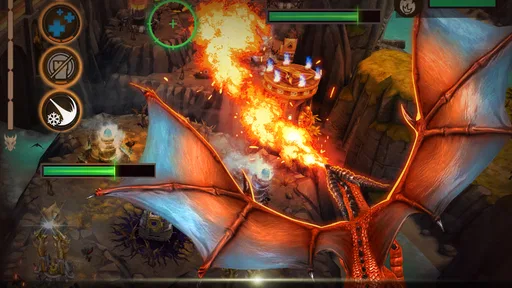
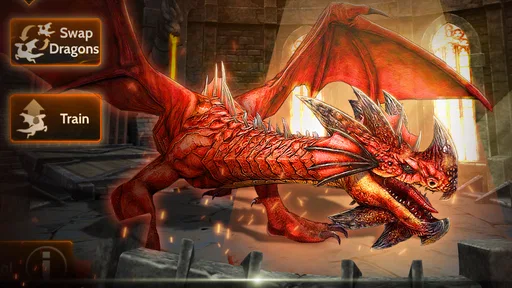
Our Review of War Dragons
 Analysis by Appyee
I spent time with War Dragons as a mobile strategy game, and my first impression was that it asks for more attention than its simple premise suggests. You are not just tapping through battles: the appeal comes from building a collection of dragons, choosing how to develop them, and deciding when to commit resources to the next fight. That makes it satisfying when a plan works, but it also creates several moments where a new player can feel lost.
The game comes from Pocket Gems and is free to start, with optional purchases ranging from $0.99 to $99.99 per item. It is rated for Everyone, runs on Android 8.0 or later, and the current version is 9.70+gn. On the store, it has an average rating of 3.8 from around 164,000 ratings, with more than 10 million installs. Those figures suggest a large player base, but they also tell me to set realistic expectations: this is a long-running mobile game with a mixed reception rather than a universally effortless experience.
Getting past the first points of friction
The opening hours are where I think many players will decide whether the game is for them. The basic idea is easy to understand, yet the number of things competing for attention can make the early experience feel busy. I found it useful to treat the first sessions as an orientation period instead of trying to optimize every decision immediately.
The biggest early mistake is focusing only on the strongest-looking dragon. A dragon that appears impressive may not be the best choice for the next task if its development costs slow down the rest of your progress. I had better results by asking a simpler question: which upgrade helps me complete the next few activities reliably? That approach keeps the base moving forward and avoids spending everything on one favorite creature.
Breeding and customization are central to the appeal, but they also encourage impulsive choices. Before committing resources, I recommend checking what the change is meant to improve and whether it fits the way you actually play. If you prefer short sessions, a practical improvement that helps you finish a task may be more useful than a flashy option that only pays off after extended play.
Another point that can catch people out is the difference between progress and activity. A screen full of available actions can make it feel as though every action deserves immediate attention. It does not. I learned to choose one clear objective per session, such as preparing a dragon, improving the base, or completing a battle-related task. This reduces wasted taps and makes the game feel much less demanding.
My most useful early habit was keeping a small reserve of resources instead of spending them as soon as they appeared. That reserve gives you room to respond when a new requirement arrives or when a planned upgrade turns out to be less useful than expected. It also makes the free-to-play structure easier to manage because you are less likely to feel pushed into buying something simply because you spent everything too quickly.
Setup checks before blaming the game
Because War Dragons is an online-style mobile experience with ongoing progression, setup matters more than it does in a purely offline puzzle game. Before judging a failed load or interrupted session, I would check the basics: the device should meet the Android 8.0 minimum, the operating system should be reasonably current, and the game should have enough free storage for normal updates and temporary files.
I also recommend starting the first substantial session on a dependable connection rather than switching repeatedly between mobile data and unstable Wi-Fi. A weak connection can look like a frozen screen, an unresponsive battle, or progress that has not updated yet. Closing other demanding apps can help on older phones, especially if the device is already warm or short on available memory.
On iOS, the same general principle applies even though the stated minimum here is for Android. Keep the operating system and game installation current, restart the device if the app behaves strangely, and avoid testing a new installation while the connection is changing constantly. These are ordinary checks, but they prevent a surprising amount of confusion.
One practical detail is to avoid repeatedly tapping a button when the game appears slow. In a resource-based strategy game, repeated taps can make it harder to tell whether an action was accepted, delayed, or duplicated visually. I prefer waiting briefly, checking whether the resource count or task state changed, and only then trying again. That small pause is especially helpful during upgrades or transitions between activities.
If you are installing it for a child, the Everyone rating makes the age classification approachable, but I would still review purchase controls on the device. The game is free to download, yet optional items can cost from $0.99 to $99.99 each. A child-friendly age rating does not remove the need for an adult to manage spending settings.
A calmer workflow for building your dragon army
Once the initial confusion settles, I found that the game becomes more enjoyable when played as a sequence of short planning cycles. I would begin by checking what is currently available, select one priority, and then decide whether the next action should improve immediate battle performance or prepare a longer-term upgrade. This prevents the common trap of opening the game without a plan and leaving after spending resources randomly.
Breeding deserves particular patience. It is tempting to treat every result as a reason to start another attempt immediately, but that can leave you without enough flexibility for other parts of the game. I suggest deciding in advance whether you are pursuing a specific improvement or simply experimenting. Those are different goals, and mixing them makes it difficult to tell whether a result was worthwhile.
Customization is most useful when it supports a clear role. I would not change a dragon merely because an option is available. Instead, I would consider the kinds of encounters that have been causing trouble and use that experience to guide the next decision. This turns customization from decoration into a practical planning tool, while still leaving room for personal taste.
When a battle goes badly, the best recovery is usually not an immediate repeat with the same setup. I found it more productive to identify the exact point of failure: did the dragon lack development, was the chosen approach poorly suited to the encounter, or did I enter without enough preparation? Even a rough answer makes the next attempt more informative.
For everyday use, the game fits best into a routine of brief check-ins rather than one huge sitting. For example, I can imagine opening it during a commute pause or after dinner, choosing one upgrade or breeding decision, and leaving once that task is complete. That rhythm helps prevent the game from turning into a constant background obligation, while still allowing steady progress.
Players who enjoy coordinating with others may find the broader strategic layer more compelling than someone who only wants quick solo battles. On the other hand, if your ideal mobile game is a self-contained match that starts and ends in a few minutes with no continuing development, this may feel too involved. A traditional turn-based strategy title may be a better fit for that preference because it usually makes each match the main event rather than part of a longer progression loop.
Recovering when progress feels stuck
There are two different kinds of being stuck in War Dragons, and separating them is important. The first is a genuine technical problem: loading fails, the interface stops responding, or an action does not appear to register. The second is normal strategic resistance, where your current dragons or resources are simply not ready for the next challenge. The solutions are completely different.
For a technical issue, I would first note what happened and whether it repeats in the same place. Restarting the game, checking the connection, closing background apps, and restarting the device are sensible first steps. If the problem appears after an update, checking that the installation completed properly is also worthwhile. I would avoid deleting the app casually, because any game with ongoing progress deserves caution before reinstalling.
If the issue is strategic, repeating the same action is rarely the best recovery. I would return to a lower-risk activity, improve the most relevant part of the current setup, and conserve resources until I understood what the next attempt required. This is where the game rewards patience more than speed. A failed attempt can be useful if it tells you what to change.
Another recovery technique is to simplify your choices. When several dragons, upgrades, and customization options are available, write down or mentally select one main project. Finish that project before switching direction. I found that this made it easier to notice which decisions were actually helping and which were only creating more unfinished work.
Spending can also make a stalled account feel worse. Since the game includes optional purchases, a player may be tempted to buy a shortcut after a frustrating loss. I would treat purchases as optional convenience rather than a solution to unclear strategy. If you do not know why the current approach failed, paying to move faster may only bring the same confusion to a later stage.
For players who share a device or have limited connection time, it is wise to make progress decisions when you have enough time to confirm that the action completed. Starting a major task just before losing signal or handing over the phone can create unnecessary uncertainty. A short, deliberate session is safer than a rushed one.
When the problem is really the device or the connection
Not every slow screen is caused by the game itself. Older hardware, low free storage, aggressive battery-saving settings, and unstable networks can all affect how a large strategy game behaves. If other demanding apps are also slow, the phone is the more likely source of the trouble. In that situation, freeing storage, closing background processes, and charging the device before playing may help more than changing in-game decisions.
Heat is another useful clue. If the phone becomes unusually warm, I would stop for a while instead of continuing to retry an action. Heat can make performance less consistent and can shorten the practical comfort of a session. Playing in shorter bursts is not only easier on the device; it also suits the game's planning-heavy structure.
Connection problems can be misleading because they may appear as missing updates rather than an obvious error. If a result seems delayed, I would wait, return to a stable connection, and check the relevant screen again before attempting the action a second time. This avoids creating a confusing sequence of repeated inputs.
The current version, 9.70+gn, is worth noting when troubleshooting because version mismatches can happen after an interrupted update. I would confirm that the store shows the latest available installation for the device before assuming that a recurring problem is part of normal gameplay.
There is also a personal compatibility question. If you dislike games that ask you to return regularly, manage several layers of development, and make careful choices about optional spending, the friction is not necessarily a technical fault. It is a mismatch between the game's design and your preferred pace. In that case, a compact strategy game with fixed campaigns or a premium title with fewer ongoing prompts may serve you better.
My practical verdict after playing
War Dragons works best for players who enjoy the feeling of developing a living collection over time. I liked the way breeding, customization, and battle preparation connect into a larger plan. The dragon theme gives the strategy a clear identity, and the long-term structure offers more to think about than a series of disconnected quick matches.
Its weaknesses are closely tied to those strengths. New players can face too many decisions before they understand which ones matter, and free-to-play purchases can add pressure when progress slows. The game also asks for patience: rushing every upgrade or repeating failed attempts without changing the plan makes the experience feel more frustrating than strategic.
I would recommend it to someone who enjoys checking in regularly, experimenting with dragon development, and improving through gradual decisions. I would be more cautious about recommending it to a player who wants a clean offline experience, a short campaign, or a game where spending never enters the conversation. Those players may be happier with a traditional strategy title built around discrete levels and a fixed rule set.
For a new player, my advice is simple: meet the Android 8.0 requirement, begin on a stable connection, keep some resources in reserve, and choose one development goal at a time. If a battle fails, change the preparation rather than merely repeating it. If the app behaves strangely, separate technical checks from strategic problems before taking drastic action.
After that, the decision comes down to your preferred rhythm. I see War Dragons as a substantial free strategy game rather than a casual distraction: approachable in its theme, but demanding enough to reward planning. If you enjoy building toward a stronger roster more than chasing instant victories, it is worth trying carefully. Just give yourself time to learn its workflow, and keep the optional purchases under deliberate control.
Verdict
Strengths of War Dragons
- Real-time dragon battles make raids feel dynamic and competitive.
- A wide variety of dragons supports different attack and defense strategies.
- Guild events encourage teamwork and provide regular group objectives.
- Base building adds strategic depth beyond simply collecting dragons.
- Frequent events offer new challenges and rewards for active players.
Limitations of War Dragons
- Progress can feel slow without spending money on premium resources.
- Battles may become repetitive after mastering the main attack patterns.
- Strong internet access is required for most gameplay features.
- Guild performance can heavily affect rewards and overall progression.
- Large updates may require considerable storage space on your device.
Similar Picks in This Category
View All
Clash of Clans
Supercell4.5

Plants vs. Zombies™
ELECTRONIC ARTS3.7

Lords Mobile: Kingdom Wars
IGG.COM4.5

Clash Royale
Supercell4.4

State.io — Conquer the World
CASUAL AZUR GAMES4.1

Car Driving School : Car Games
Spark Game Studios3.9
Frequently Asked Questions
What is War Dragons, and how does the gameplay work?
War Dragons is a real-time strategy game focused on collecting, raising, and commanding dragons. You build and upgrade a kingdom, manage defensive buildings, and attack other players’ bases by choosing dragons with different abilities. During raids, you directly control the dragon, cast spells, destroy defenses, and try to earn the best possible score before your attack ends.
Is War Dragons free to download and play?
Yes, War Dragons can be downloaded and played for free on supported Android and iOS devices. However, it includes optional in-app purchases for resources, speed-ups, premium currency, and other progression-related items. You can enjoy the main gameplay without paying, although upgrading dragons, buildings, and research may take considerable time unless you use earned or purchased resources.
Does War Dragons require an internet connection?
Yes, War Dragons is primarily an online game and requires a stable internet connection for most of its features. Your progress, multiplayer battles, events, alliances, and server-based activities depend on connecting to the game’s servers. Because of this, it is not a suitable choice for fully offline play, and unstable connections may interrupt attacks or delay updates.
Can I play War Dragons with other players?
Multiplayer interaction is one of War Dragons’ main features. You can join or create a team, cooperate during events, exchange support with teammates, and participate in competitive activities. The game also allows you to attack other players’ bases and defend your own. Joining an active team is especially helpful because teamwork can provide rewards, guidance, and faster progression.
Is War Dragons suitable for children and casual players?
War Dragons is accessible to beginners, but it is designed as a long-term strategy game with frequent upgrades, competitive events, timers, and optional purchases. Younger players may need parental supervision because of online interaction and in-app spending. Casual players can make progress, but the experience is more rewarding for people who enjoy checking in regularly, planning attacks, and managing resources over time.
Play our best games!


